mirror of
https://github.com/DoingFedTime/ChangeScraper.git
synced 2026-07-27 01:43:14 +00:00
Scrapes Change.org petitions. Gets signatures, metadata, and supporter details without touching their API.
- Python 100%
| change_scraper.py | ||
| LICENSE | ||
| README.md | ||
| requirements.txt | ||
| setup.py | ||

Change.org Petition Scraper
A Python scraper that extracts all data from Change.org petitions, including comments via infinite scroll.
Demo
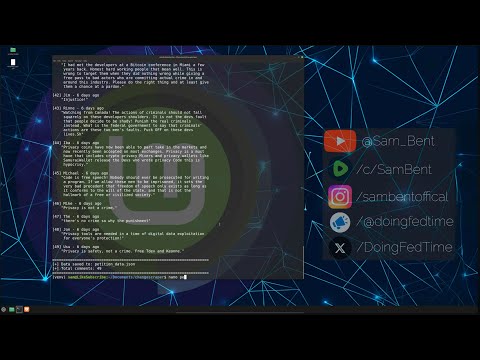
Click the image to watch the full tutorial
Features
- Petition Details: URL, title, author, target, signature count, description, date created
- All Comments: Uses Selenium to handle infinite scroll and extract every comment
- Auto Browser Detection: Automatically uses Edge (Windows), Chrome, or Chromium
- Cross-Platform: Works on Windows, macOS, and Linux
- Clean Output: Formatted console display + structured JSON file
Installation
Windows
git clone https://github.com/DoingFedTime/ChangeScraper.git
cd ChangeScraper
pip install -r requirements.txt
Edge is built-in. You're ready to go.
Linux (Ubuntu/Debian)
git clone https://github.com/DoingFedTime/ChangeScraper.git
cd ChangeScraper

# Create virtual environment (required on modern Linux)
python3 -m venv venv
source venv/bin/activate

# Install dependencies
pip install -r requirements.txt

# Install Chrome
wget https://dl.google.com/linux/direct/google-chrome-stable_current_amd64.deb
sudo dpkg -i google-chrome-stable_current_amd64.deb
sudo apt -f install
macOS
git clone https://github.com/DoingFedTime/ChangeScraper.git
cd ChangeScraper
pip3 install -r requirements.txt
Install Chrome from https://google.com/chrome if not already installed.
Usage
python change_scraper.py "https://www.change.org/p/petition-name"
Linux users: Remember to activate your venv first:
source venv/bin/activate
python3 change_scraper.py "https://www.change.org/p/petition-name"
That's it. The scraper will:
- Fetch petition details
- Open a headless browser
- Scroll through all comments (infinite scroll)
- Save everything to
petition_data.json
Example
python change_scraper.py "https://www.change.org/p/violet-s-crosswalk-violet-s-way"
Output:
============================================================
Change.org Petition Scraper
============================================================
[*] Petition: violet-s-crosswalk-violet-s-way
[*] Fetching petition page...
[*] Title: Violet's Crosswalk (Violet's Way)
[*] Signatures: 57
[*] Fetching ALL comments (infinite scroll)...
    Using Chrome browser
    Scrolling to load all comments... 1 2 3 4 5 done (8 scrolls)
[*] Total comments extracted: 56

======================================================================
PETITION DETAILS
======================================================================

URL:        https://www.change.org/p/violet-s-crosswalk-violet-s-way
Title:      Violet's Crosswalk (Violet's Way)
Author:     Lillian Rzepka
Target:     Decision Maker: Kevin Corcoran
Signatures: 57
Created:    2025-11-19T05:57:35Z
...
Output Format
Console
Formatted, readable output with word-wrapped text.
JSON File (petition_data.json)
{
  "url": "https://www.change.org/p/petition-name",
  "title": "Petition Title",
  "signatures": 1234,
  "description": "Full petition description...",
  "author": "Author Name",
  "author_url": "https://www.change.org/u/123456",
  "target": "Decision Maker Name",
  "date_created": "2025-01-01T00:00:00Z",
  "comments": [
    {
      "name": "Commenter Name",
      "comment": "Their comment text...",
      "date": "3 days ago"
    }
  ],
  "total_comments": 56,
  "scraped_at": "2025-11-25T19:00:00.000000"
}
How It Works
Petition Details
- Fetches the petition page via HTTP request
- Parses HTML using BeautifulSoup
- Extracts structured data from
data-testidattributes and LD+JSON schema
Comments (Infinite Scroll)
- Opens headless Chrome/Edge browser via Selenium
- Navigates to the petition's comments page (
/p/slug/c) - Scrolls to bottom, waits for content to load
- Repeats until no new content appears (3 consecutive unchanged scrolls)
- Parses all loaded comments from the final HTML
Requirements
- Python 3.7+
- Google Chrome, Microsoft Edge, or Chromium browser
- Python packages (installed via requirements.txt):
requestsbeautifulsoup4seleniumwebdriver-manager
Troubleshooting
Linux: "externally-managed-environment" error
Use a virtual environment:
python3 -m venv venv
source venv/bin/activate
pip install -r requirements.txt
Linux: "chromium-browser has no installation candidate"
Install Chrome directly:
wget https://dl.google.com/linux/direct/google-chrome-stable_current_amd64.deb
sudo dpkg -i google-chrome-stable_current_amd64.deb
sudo apt -f install
"No browser available"
- Windows: Edge is built-in, should work automatically
- Linux: Install Chrome using the command above
- macOS: Install Chrome from https://google.com/chrome
"Selenium not installed"
pip install selenium webdriver-manager
Comments not loading
- Check your internet connection
- The petition may not have any comments yet
- Try running again (sometimes the page needs more time to load)
License
MIT License - Use responsibly and respect Change.org's terms of service.
Disclaimer
This tool is for educational and research purposes. Always respect website terms of service and use responsibly. The authors are not responsible for misuse of this tool.